
What you get
Each Dedicated relay is a $199/month per-region add-on to the Pro plan and includes:- Fully managed: n0.computer handles operations, maintenance, and upgrades
- Authenticated by default: only your project’s endpoints can connect, using an endpoint-bound token derived locally from your API key
- Isolation: your traffic only; no noisy neighbors
- Capacity: up to 60,000 concurrent connections
- Egress: 250 GB per month, then $0.09/GB
- Version locking: pin to a specific iroh version or run blue/green deployments
- Multi-region: deploy across multiple regions for lowest latency and high availability. Contact us to request a custom region if the available regions don’t meet your needs.
Deploy a relay
1. Sign up and create a Pro project
Sign up at services.iroh.computer and create a project if you haven’t already. The project must be on the Pro plan to deploy managed relays. You can also upgrade your project to Pro in the billing settings.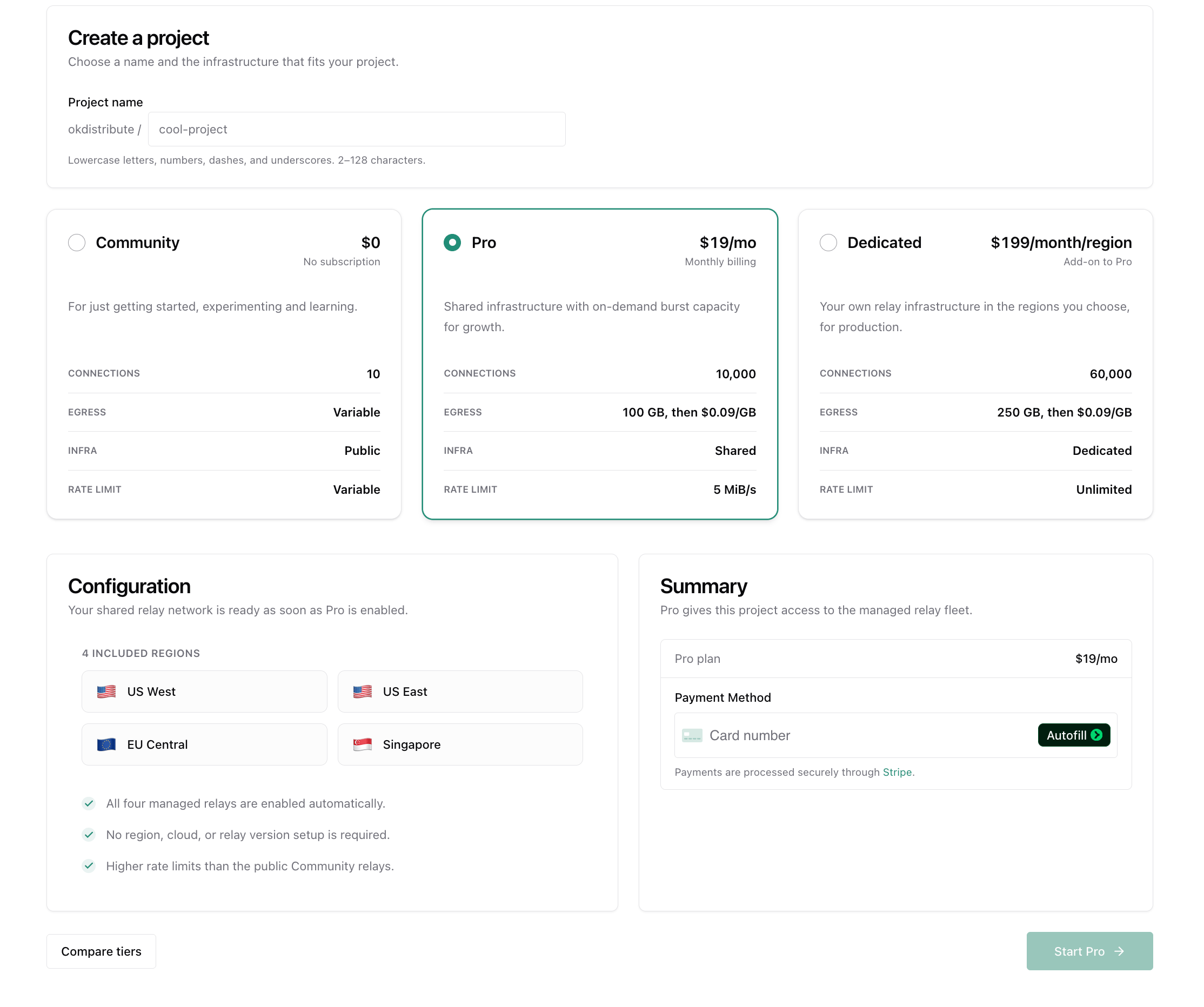
2. Add a relay
Navigate to Relays in your project sidebar and click Deploy Relay. Select a region for your relay.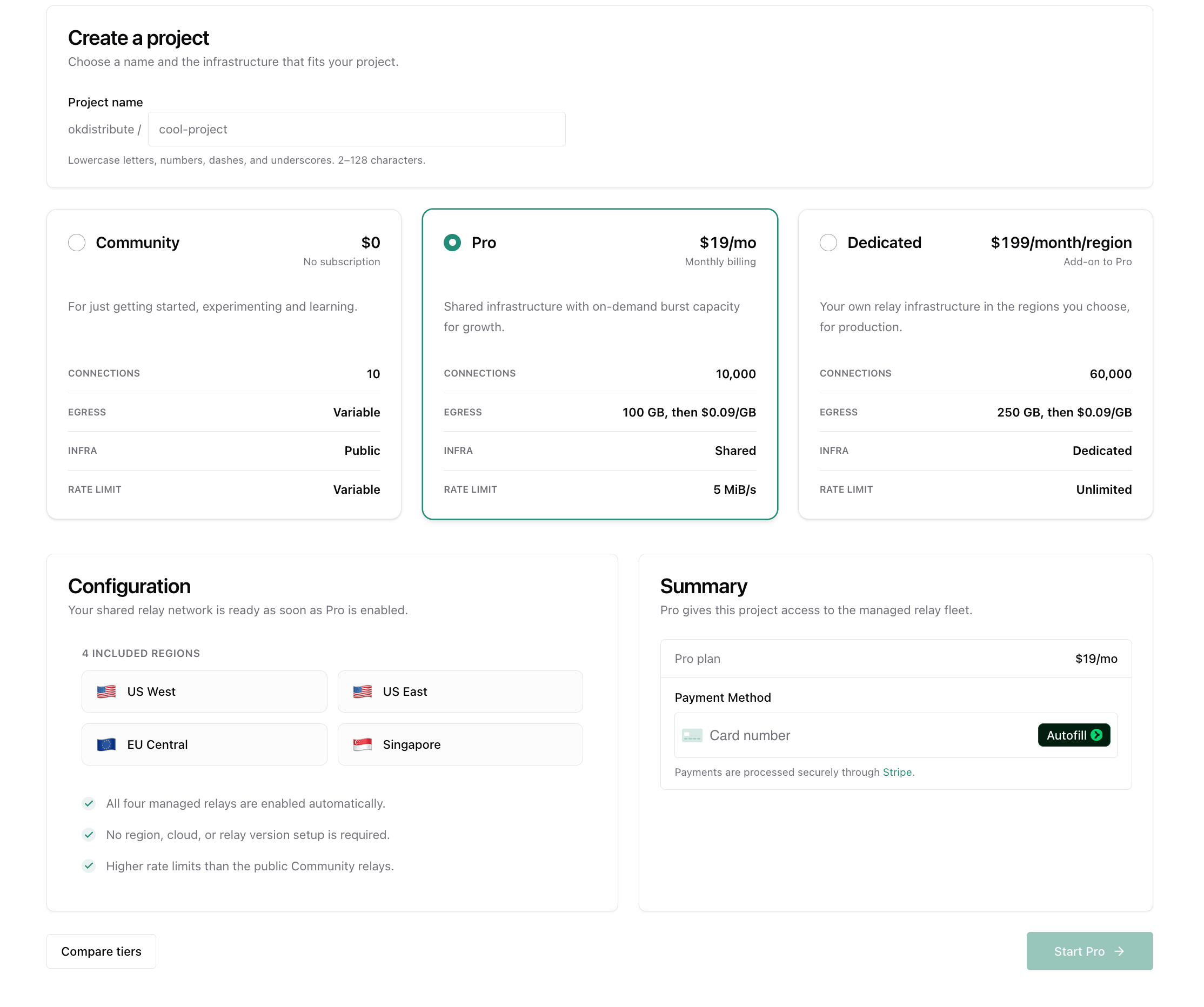
3. Copy your relay URL
Once deployed, your relay URL will appear in the dashboard. Hit Connect to see a code snippet to connect to your relay.4. Configure your endpoint
Set your endpoint to use your dedicated relay URLs instead of the public relays: By default, your endpoint authenticates to Shared and Dedicated relays. The iroh-services preset uses your project API key locally to mint a token bound to the endpoint’s Endpoint ID and scoped to relay use. The token expires after 30 days by default; the project API key is not sent to the relay. See API Keys for details.5. Verify connectivity
Go to your project’s Relays page to confirm your endpoints are connecting through your dedicated relay. You should see connected endpoint counts and traffic metrics.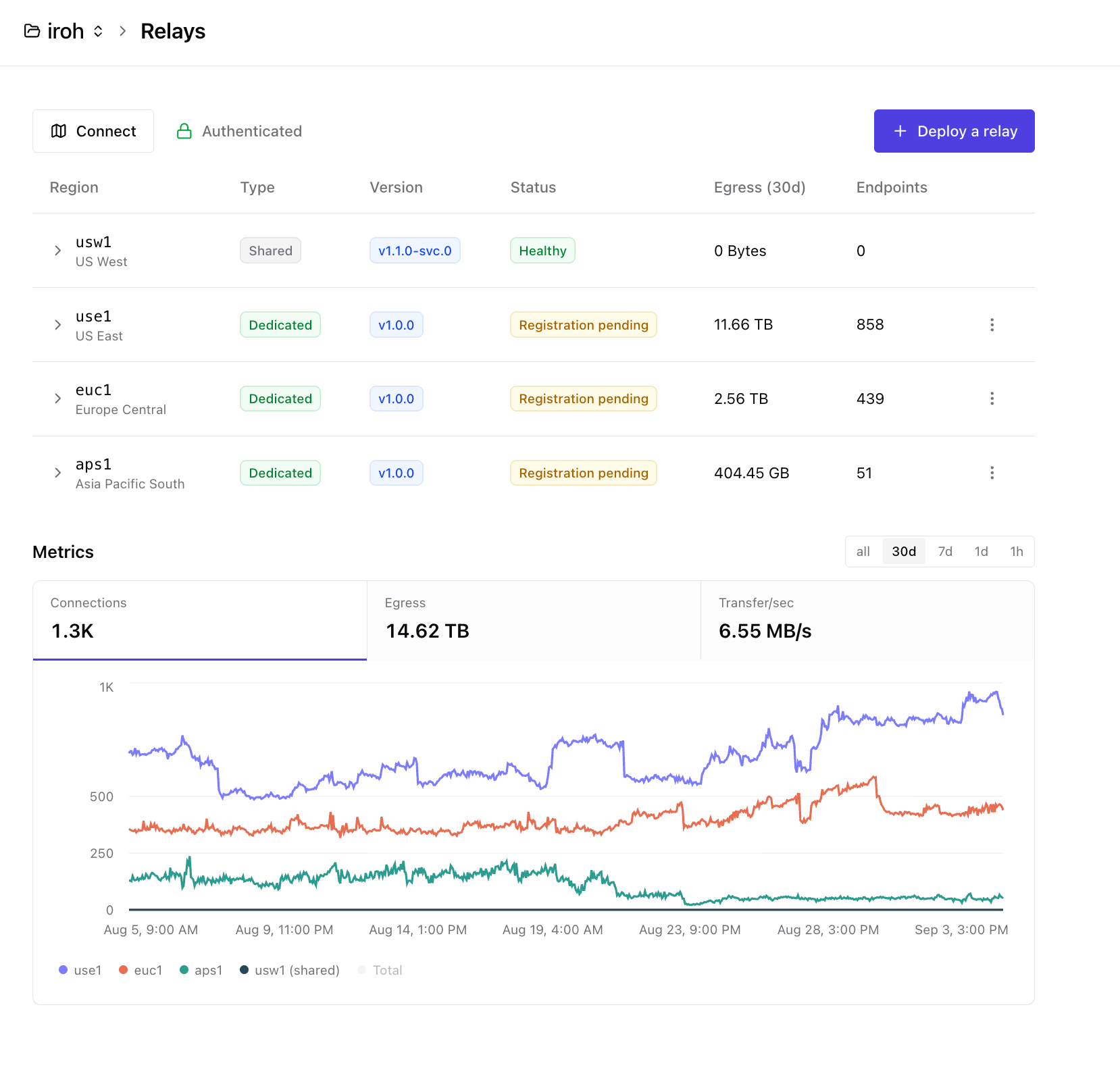
Authentication
Managed relays require authentication by default — only your project’s endpoints can connect. There’s nothing extra to set up: when you build your endpoint with thepreset(), the SDK derives an
endpoint-bound relay token locally from your project API key. See API
Keys for the authoritative
authentication description.
Version locking
Dedicated relays can be pinned to a specific supported iroh relay version instead of moving automatically to a newer release. This lets you coordinate relay upgrades with your endpoint rollout and operate old and new relay versions side by side during a blue/green deployment. The pin applies to the relay software; you remain responsible for verifying compatibility with the iroh versions used by your endpoints.Turn authentication off
If you want any endpoint that has your relay’s URL to be able to use it — not just your project’s endpoints — you can turn authentication off in the Authentication section.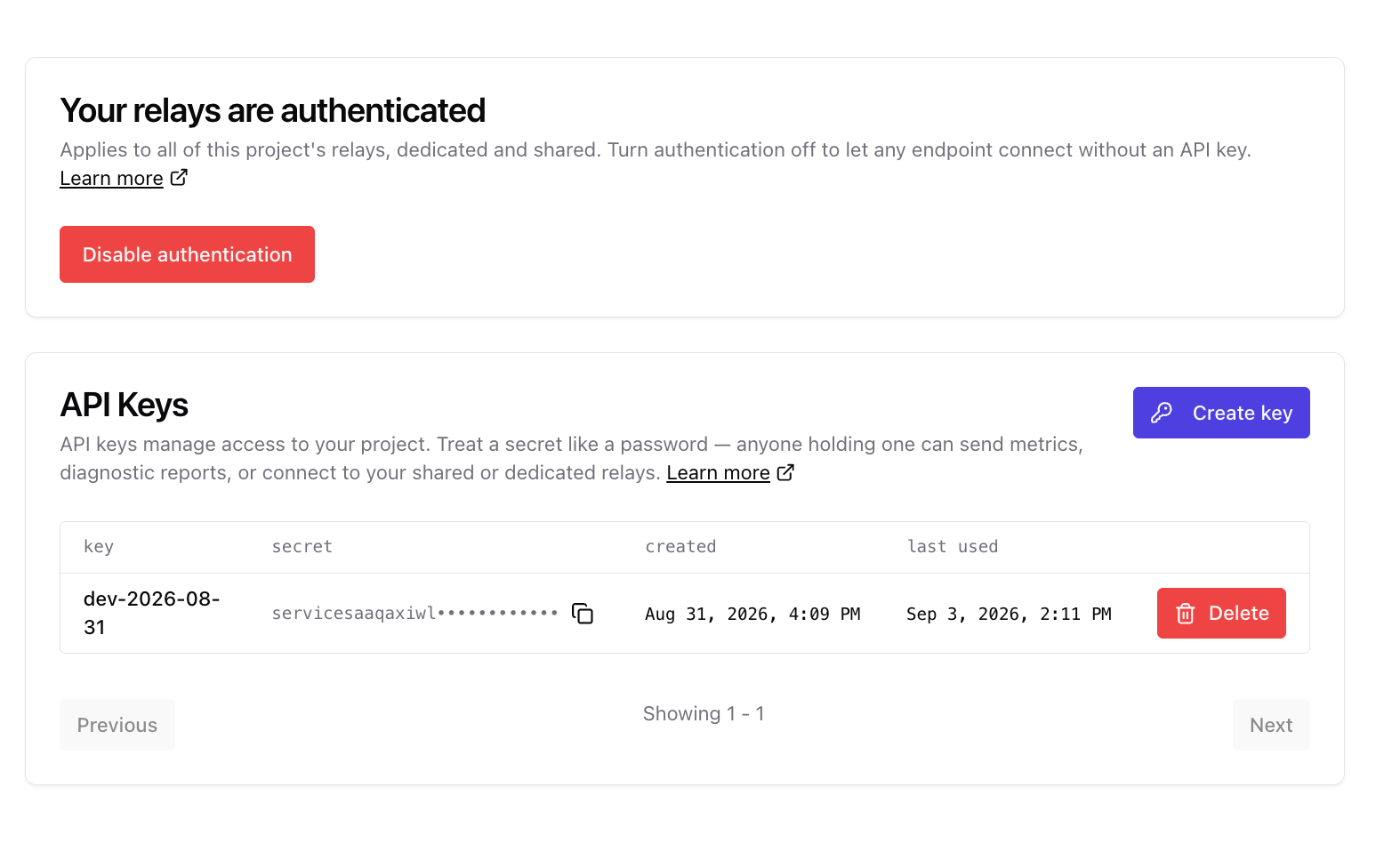
Recommended setup
Place relays as close as possible to the users they serve. Shorter network paths reduce latency and improve response times, including time to first byte when a connection uses a relay. For a globally distributed user base, prioritize regions near your largest user populations. For production, also deploy at least two relays in different geographic regions. If one relay becomes unreachable, iroh automatically falls back to the next one in your list, so your peers will still find each other. Choose regions that balance user proximity with protection from a single regional outage. Each relay handles up to 60,000 concurrent connections. For larger deployments, contact us to increase relay capacity.Request a custom region
Need a relay closer to your users or in a region that is not available in the dashboard? Contact support@iroh.computer with:- The region you need
- Your expected peak concurrent connections
- Your expected monthly relayed egress